See what you’re signing, in plain words.
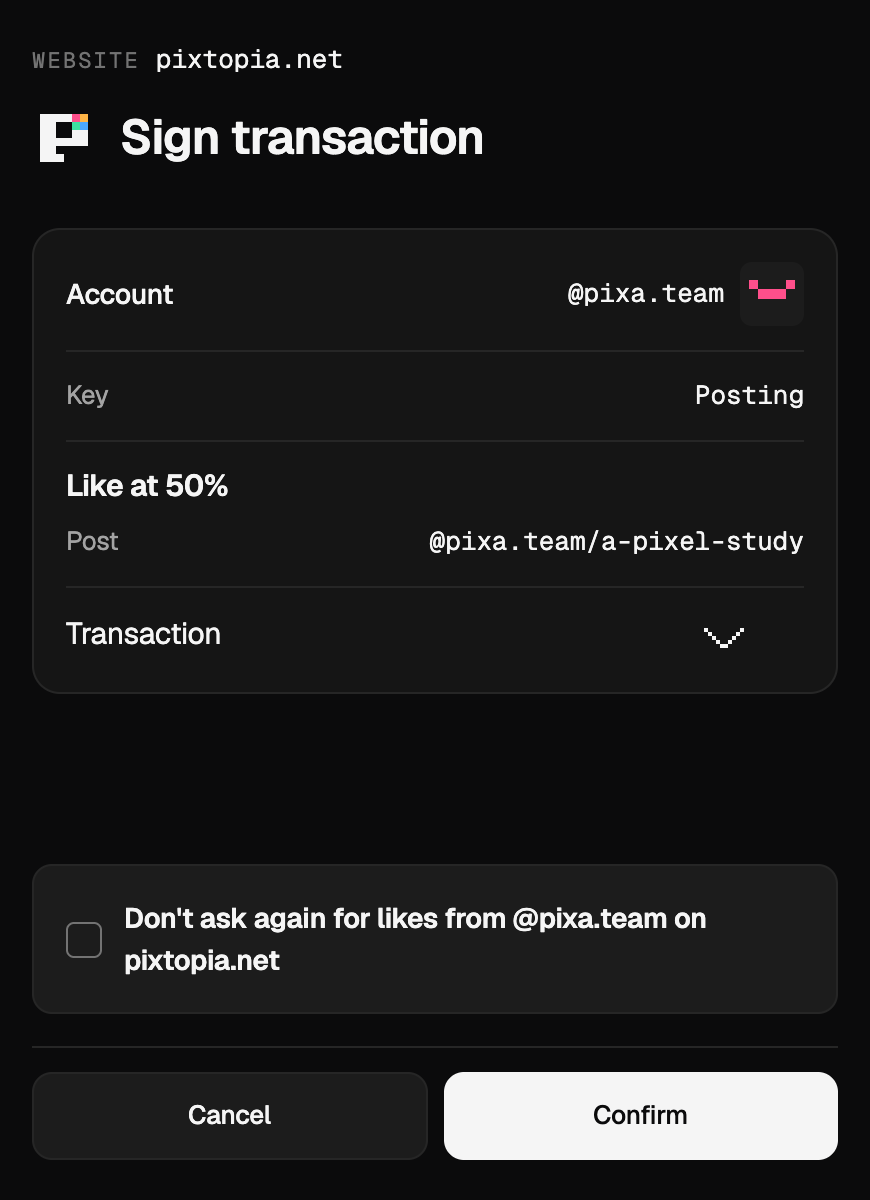
Sites send code. The wallet reads it and tells you what it does, with the exact transaction a tap away. These are its real windows.
What the site sends
["vote", {
  "voter": "pixa.team",
  "author": "pixa.team",
  "permlink": "a-pixel-study",
  "weight": 5000
}]
A like, with your posting key.
If you’re happy for a site to like posts for you, you can stop it asking for this one kind of request, from that one site.
It’s a whole wallet, too.
You don’t need a site open to use your account. Everything you’d do with it is one click from your toolbar.
-
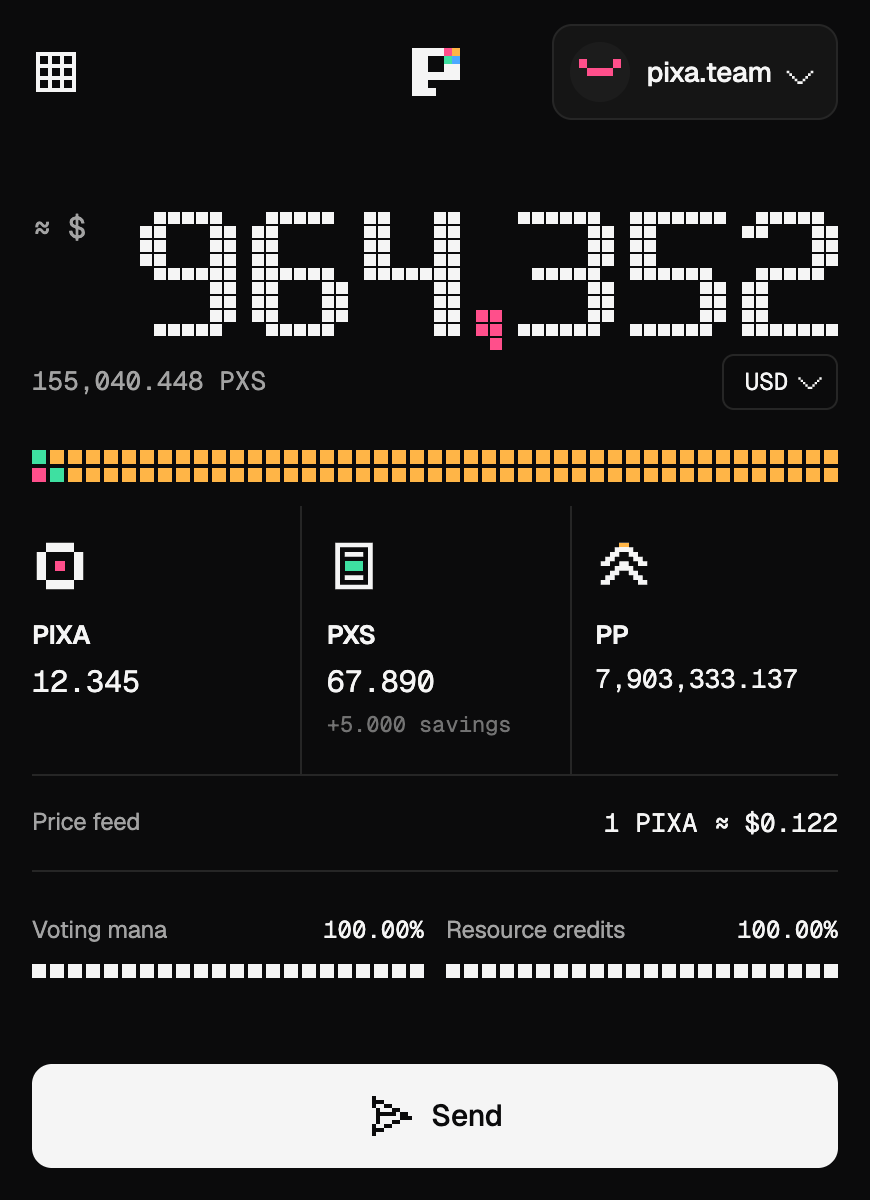
See it all at once.
What your account is worth, drawn in pixels, what it’s made of, and your balances side by side, with what you’ve lent and received in Pixa Power each on its own line.
-
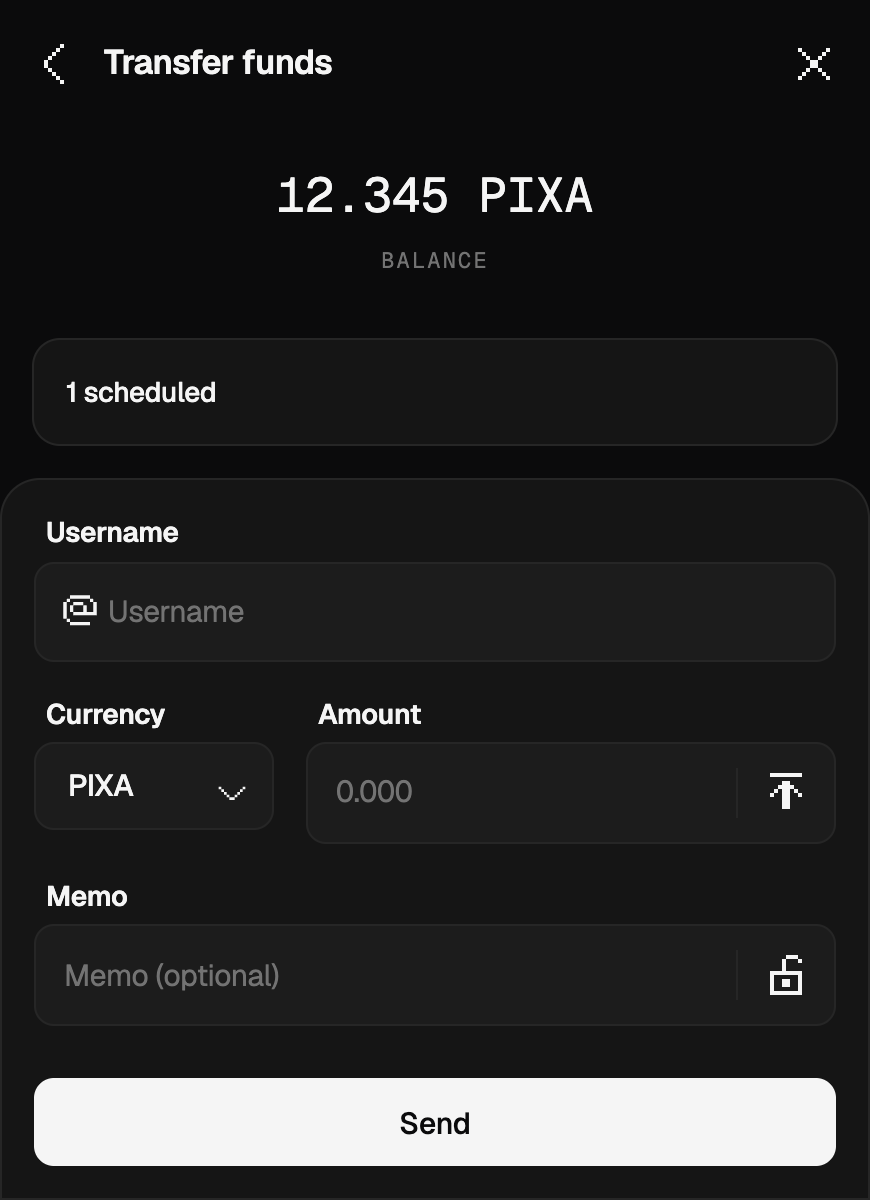
Send PIXA and PXS.
One at a time or on a schedule, to your favorite recipients, with a memo that can be encrypted.
-
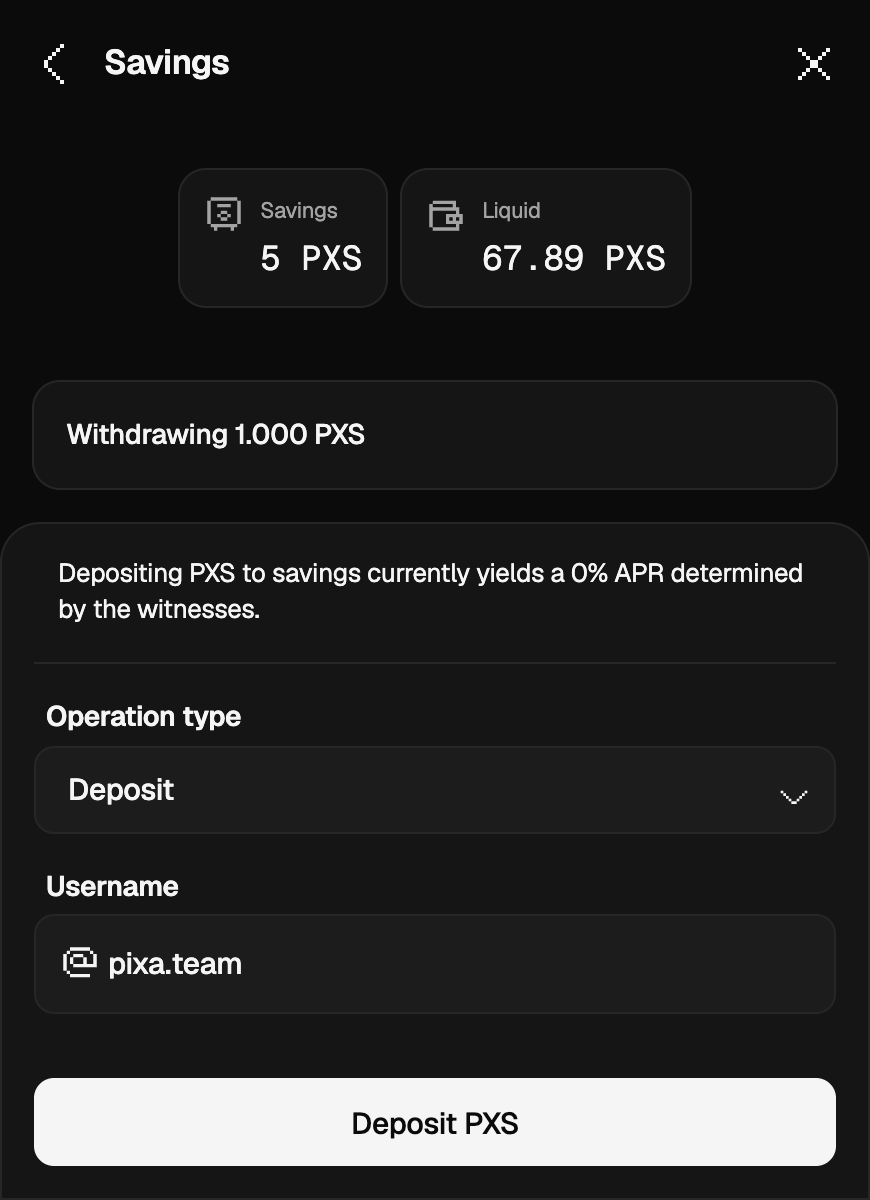
Save and convert.
Keep PIXA and PXS in savings, watch withdrawals on their way, and convert between them.
-
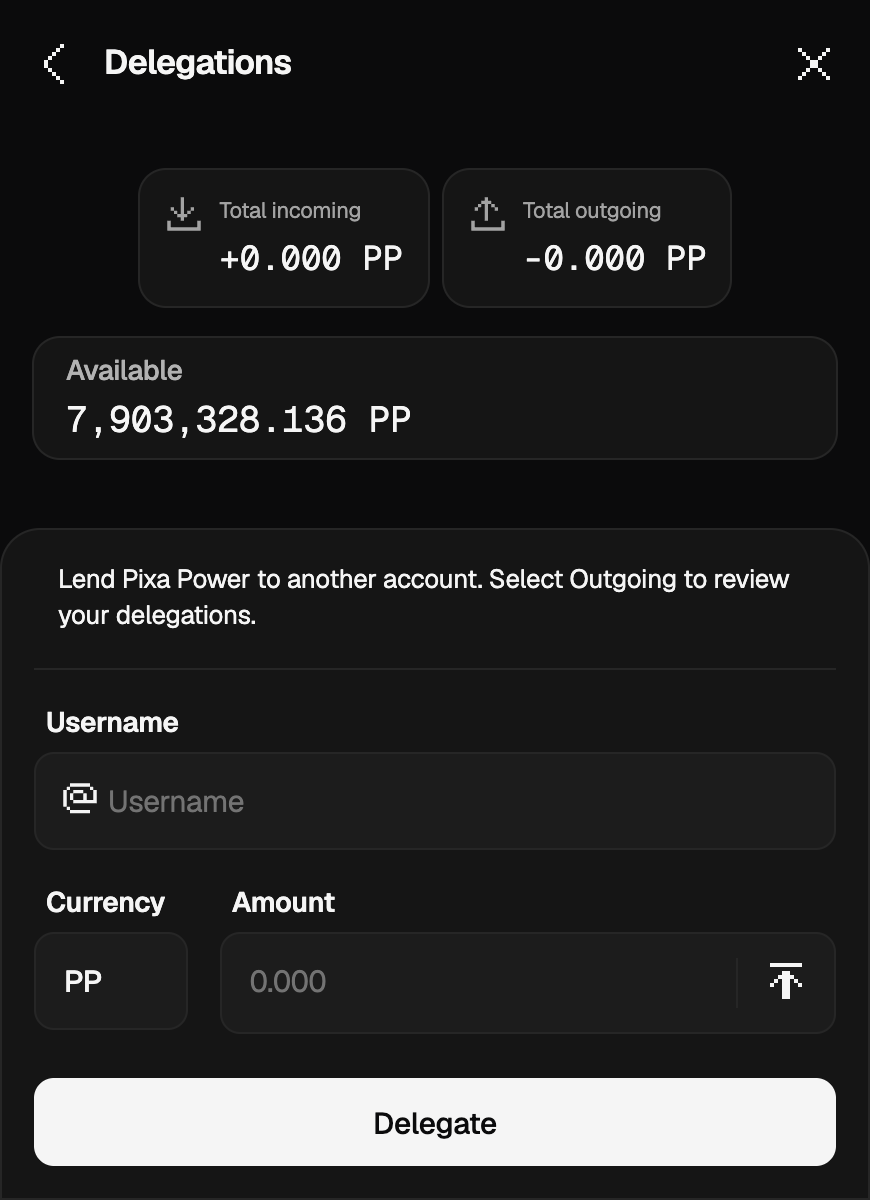
Power up and delegate.
Power up and down, and lend Pixa Power or resource credits to other accounts.
-
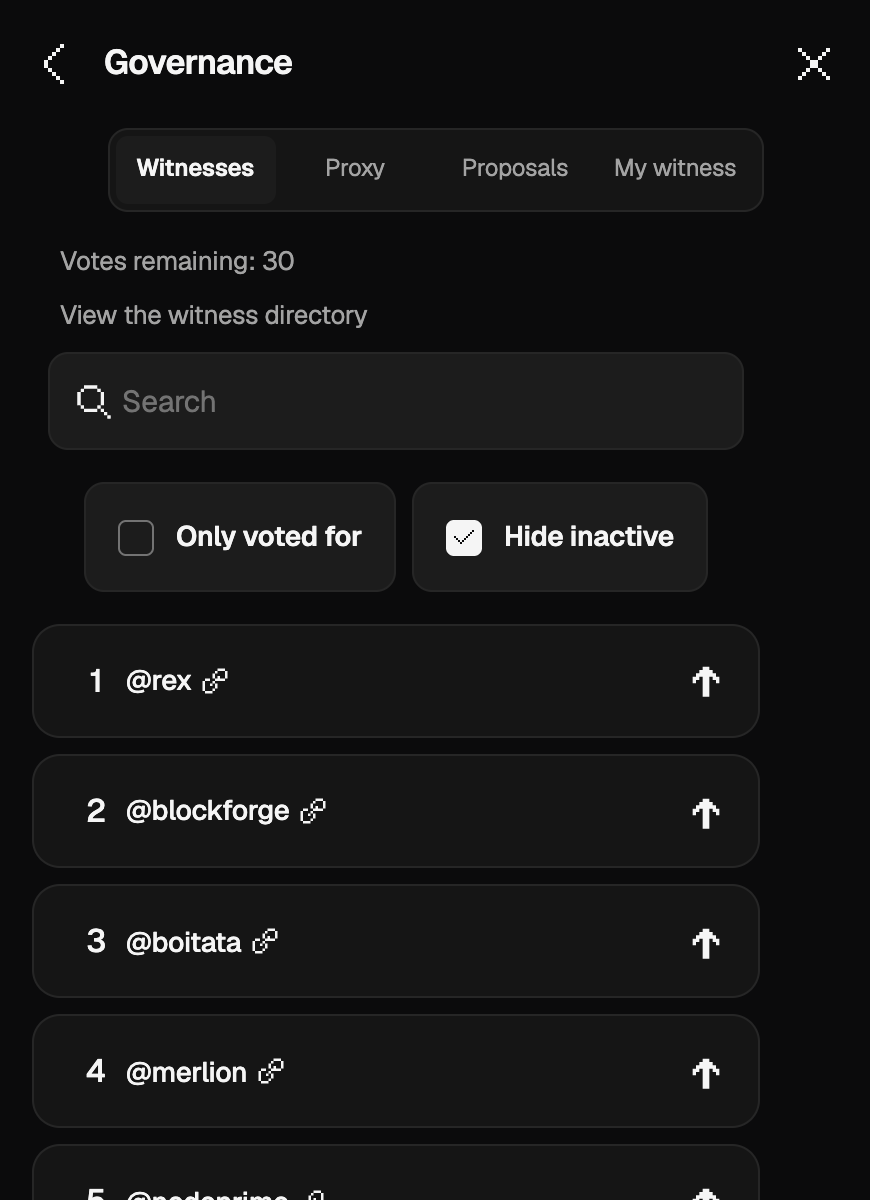
Have a say.
Vote for witnesses and proposals, set a proxy, or run your own witness.
-
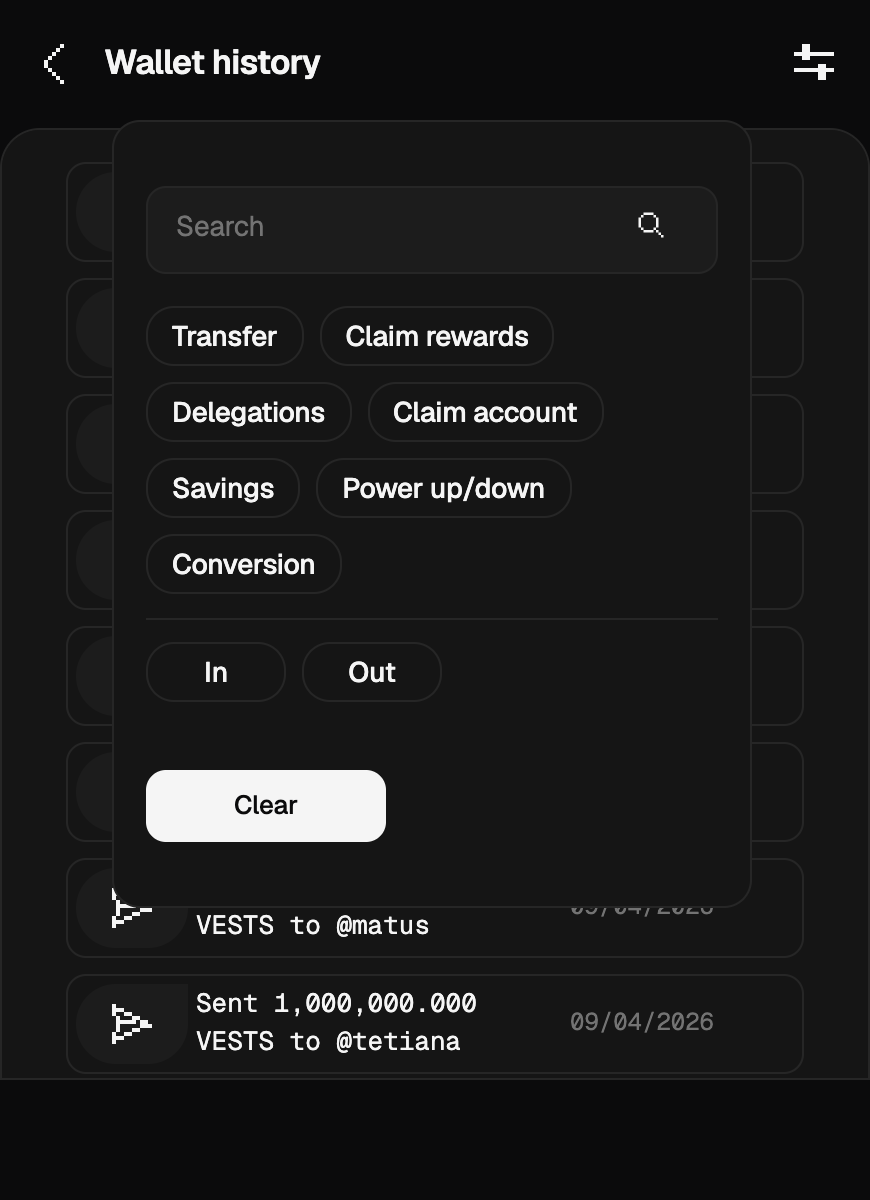
Look back.
Each account keeps its own history, with filters for what you’re looking for.
-
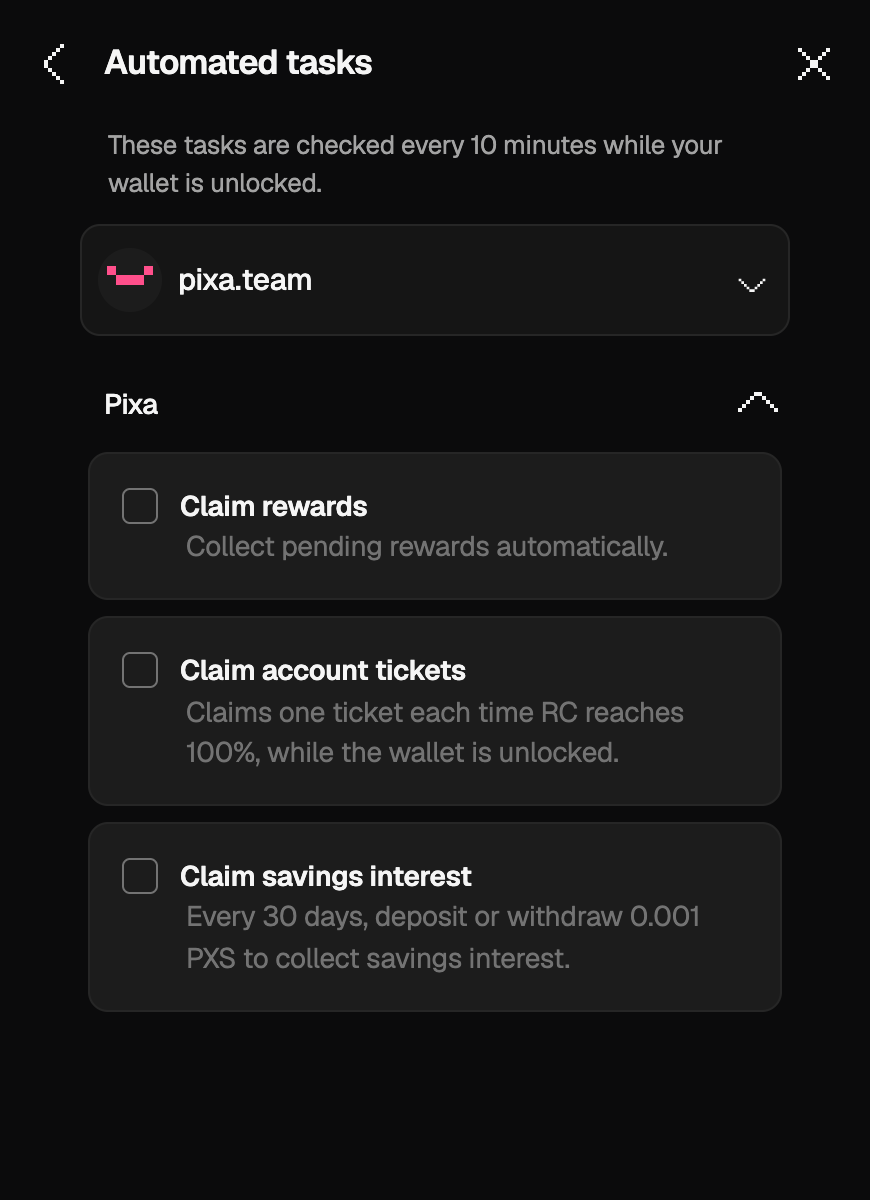
Let it claim for you.
Turn them on and it claims rewards, savings interest and account tickets while it’s unlocked. Automatic claims can’t do anything else.
-
Make it yours.
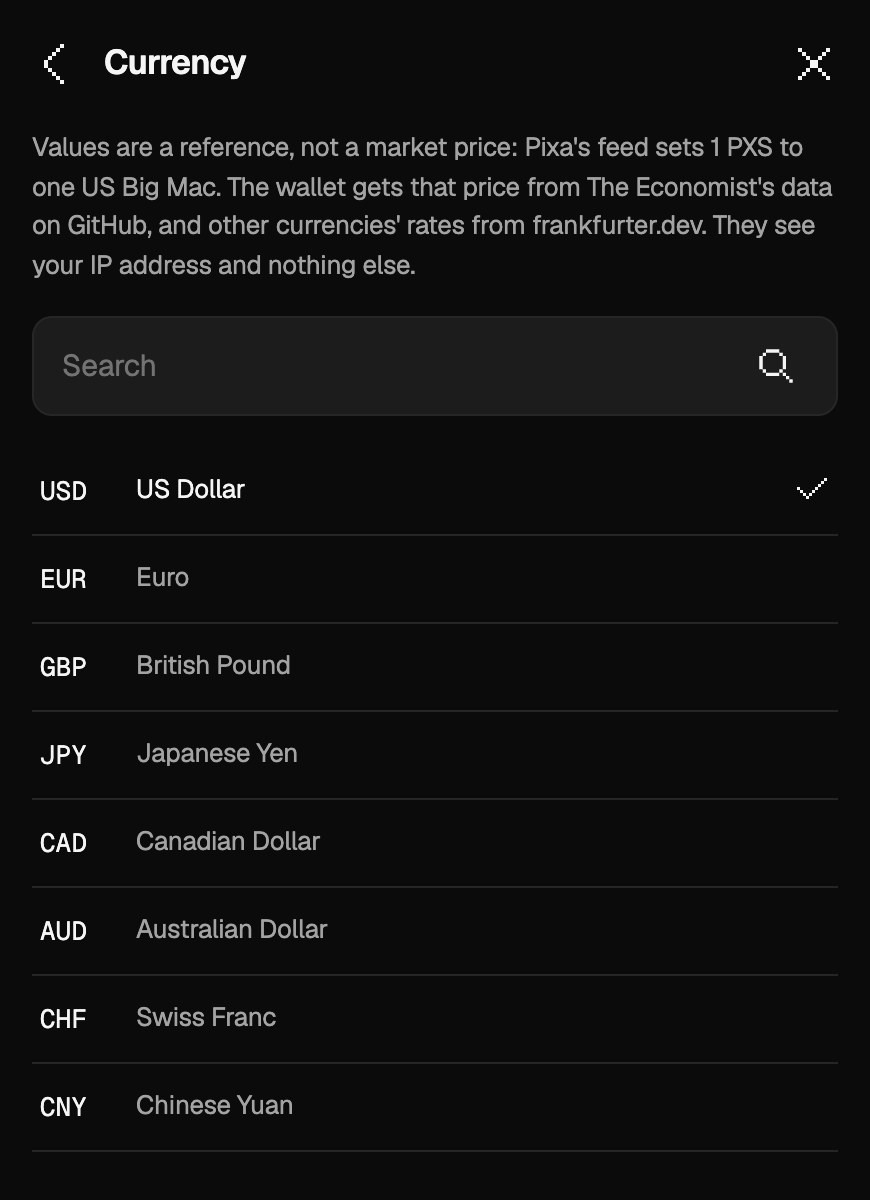
Several accounts, dark or light, any of 30 currencies, eight languages, and your own Pixa node.
What stays, and what leaves.
Rounds of PBKDF2 stand between your password and your keys, which are encrypted with AES-GCM. Your password is never saved. It’s held in memory while the wallet is unlocked, and goes when it locks.
It locks when you say
When you lock it or close the browser, or after the idle minutes you choose.
Owner keys are refused
Always. Keep yours offline. A master password is only used to work out the other three.
“Don’t ask again” is narrow
One kind of request, from one site, for one account, with the posting key. Nothing else can be approved in advance.
Answers go to who asked
To the document that sent the request, and no other.
Stays on your device
- Your private keys
- Your password
- Your accounts and settings
Leaves, and only to here
- The Pixa node you choose
- The account names it needs to look up, and the transactions you approve. It’s api.pixagram.com unless you change it.
- A site that asks
- What you approve: a signature, an account name, a result. Never a key.
- GitHub
- A request for The Economist’s Big Mac prices, at most once a week, because Pixa’s price feed sets 1 PXS to one US Big Mac. It sees your IP address and nothing else.
- frankfurter.dev
- A request for the day’s exchange rates, and only if you choose a currency other than US dollars. It sees your IP address and nothing else.
- Us
- Nothing. We don’t run a server for it, and it has no analytics and no ads.
It hasn’t had an outside audit.
This is early software. It’s built on Hive Keychain, and the signing code stays close to it on purpose, but everything specific to Pixa is new. Start with small amounts, and keep a copy of your keys somewhere safe. We can’t recover them.
- It can’t protect you on a computer that’s already compromised, or from a malicious extension with access to the same pages.
- A weak password won’t hold if someone gets hold of the encrypted data or a file you exported.
- A site you’ve told not to ask again can turn hostile, within what you approved.
- A node can lie about balances and history. Only choose one you trust.
- A site can be convincing. The wallet shows what a request does, but you still decide.
- A fake copy of this wallet is still a risk. Install from the links here.
Open source, all of it.
Every line is on GitHub under the MIT license. Read it, fork it, fix it or build on it. You don’t need to ask.
Check a release yourself.
A wallet should be something you can check. Each release builds to the same files on a Mac and on GitHub’s Linux servers, so build its tag and compare. No output means they match.
git clone --branch vX.Y.Z --depth 1 https://github.com/elmerlin/pixa-keychain.git
cd pixa-keychain
nvm use
npm ci
npm run package:chromium
unzip -q /path/to/downloaded/pixa-keychain-X.Y.Z-chromium.zip -d /tmp/released
unzip -q pixa-keychain-X.Y.Z-chromium.zip -d /tmp/built
diff -r /tmp/released /tmp/builtPIXA Keychain is built on Hive Keychain, and we’re grateful for it. If you publish a fork, please give it your own name and logo, so nobody mistakes it for this wallet.
Add it to your Pixa app.
Let people sign in and sign without ever typing a key into your site. There’s no API key, no sign-up and no list to get on. If your app runs on https, the wallet is already there.
const keychain = window.pixa_keychain;

// With null, the person picks an account in the wallet.
keychain.requestSignBuffer(null, challenge, 'Posting', (answer) => {
  if (!answer.success) return;
  // Have your server check the signature against the
  // account's posting keys on chain.
  signIn(answer.data.username, challenge, answer.result);
});const keychain = window.pixa_keychain;
// A like at 50%. 10000 is 100%.
keychain.requestVote(account, permlink, author, 5000, (answer) => {
if (answer.success) showLiked();
});const keychain = window.pixa_keychain;
// Amounts have three decimals, in PIXA or PXS.
keychain.requestTransfer(
account,
'pixtopia',
'1.000',
'Thanks!',
'PIXA',
(answer) => {
if (answer.success) showSent(answer.result.tx_id);
},
);const keychain = window.pixa_keychain;
// Any operations, in one transaction: a like and a follow.
keychain.requestBroadcast(account, [
['vote', { voter: account, author, permlink, weight: 10000 }],
['custom_json', {
required_auths: [],
required_posting_auths: [account],
id: 'follow',
json: JSON.stringify(['follow', {
follower: account,
following: author,
what: ['blog'],
}]),
}],
], 'Posting', (answer) => {
if (answer.success) done();
});You never hold a key
Your app gets a signature or a result. The wallet keeps the rest.
Same shape as Hive Keychain
If your site already works with it, rename one global and use Pixa’s tokens.
The person stays in charge
Every request opens the wallet’s own window, in its own words. Your app can’t skip it.
Get it.
From the Chrome Web Store, for Chrome and other Chromium browsers, 111 or newer, and it updates itself. It doesn’t run on phones.
You’ll need a Pixa account, which you can make at pixagram.com.
- pixa-keychain-0.1.8-chromium.zip
- SHA-256
1e5bffb34af6eab6da6c78d91e38f0634d122c5e70d414bf551c9069385b76bd
Add it to Chrome
Open it in the Chrome Web Store and choose Add to Chrome.
Pin it
Open the puzzle piece in your toolbar and pin PIXA Keychain, so it’s one click away.
Add your account
Set a password for the wallet, then add your account with a key or your master password.
Or install a release by hand: unzip it somewhere you’ll keep it, turn on Developer mode in chrome://extensions, choose Load unpacked and pick the folder. Installed that way, it doesn’t update itself: replace the folder’s contents and press reload on the extension. Your accounts stay as long as you don’t remove it or move it to a different folder.
Questions.
Using it
What is PIXA Keychain?
A wallet for the Pixa blockchain that lives in your browser. It holds your keys, lets you send and manage PIXA, PXS and Pixa Power, and signs for Pixa sites once you’ve read what they’re asking.
What does it cost?
Nothing. It’s free and open source, with no ads, and we don’t add a fee to anything you do with it.
Do I need a Pixa account first?
Yes. You can make one at pixagram.com, then add it to the wallet with a key or your master password.
Which browsers does it work in?
Chrome and other Chromium browsers, version 111 or newer. You can build a Firefox version from the source, but it hasn’t been tested yet. It doesn’t run on phones.
Is it in the Chrome Web Store?
Yes. Add it from the Chrome Web Store and it updates itself. You can also install a release by hand.
How do I update it?
From the Chrome Web Store, it updates itself. A release you installed by hand doesn’t: replace the folder’s contents with the new version, then press reload on the extension. Your accounts stay as long as you don’t remove it or move it to a different folder.
Can it run next to Hive Keychain?
Yes. They use different names on the page, so they stay out of each other’s way. PIXA Keychain only works with Pixa, though, and refuses a request in HIVE or HBD.
How do I use it on Pixtopia?
Choose Use PIXA Keychain when you sign in on pixtopia.net. Your keys stay in the extension, and it does the signing.
What if I forget my password?
We can’t recover it, because it’s never saved. You can reset the wallet and add your accounts again, and you’ll need your keys to do that. Keep a copy of them somewhere safe.
Staying safe
Can a site see my keys?
No. A site gets only what you approve: a signature, an account name or a result. Any site can tell the extension is installed, because that’s how sites find it.
Has it been audited?
Not by anyone outside. It’s built on Hive Keychain and the signing code stays close to it on purpose, but everything specific to Pixa is new. Treat it as early software, and start with small amounts.
Why won’t it take my owner key?
Your owner key can change everything about your account, so it’s best kept offline. The wallet holds posting, active and memo keys only. If you give it a master password, it works out those three and leaves the owner key out.
What does “Don’t ask again” do?
It skips the window for one kind of request, from one site, for one account, with the posting key. The window says which, like likes or Pixholm moves, and a like never covers a downvote. Anything with an active or memo key always asks, and so does anything the wallet can’t read. A post’s reward settings can be approved only with exactly the shares you saw, on a post being made: any other split asks again.
What do automatic claims sign?
Rewards, savings interest and account tickets. They’re off until you turn them on, they only run while the wallet is unlocked, and they can’t do anything else.
What does it send, and to whom?
Account and post lookups and the transactions you approve go to the Pixa node you choose. What you approve goes to the site that asked. To show what things are worth, it reads The Economist’s Big Mac prices from GitHub at most once a week, because Pixa’s price feed sets 1 PXS to one US Big Mac. If you pick a currency other than US dollars, it also asks frankfurter.dev for exchange rates. Nothing comes to us. The privacy policy has it all.
How do I know my copy is the real one?
Install only from the links here or in the repo. Each release lists its zip’s SHA-256, and you can rebuild it from its tag and compare the files.
I found a security problem. What do I do?
Please report it privately rather than opening a public issue, and use a throwaway account: never send anyone a real key or password. We fix the latest release only, and there’s no bug bounty.
Building with it
Can anyone build for it?
Yes. There’s no API key, no sign-up and no approval. Any page on https, and localhost while you’re developing, can ask it to sign. What your app can actually do is whatever the person approves. The guide shows how.
How do I sign someone in with it?
Ask it to sign a one-time message, then check that signature on your server against the account’s posting keys on chain. Here’s the code. Don’t skip the check: a page can’t tell the real extension from a script pretending to be it.
My site works with Hive Keychain. What changes?
The requests have the same shape, so mostly you rename the global to window.pixa_keychain and use PIXA and PXS. A few things are stricter, and the guide lists them.
Can my app sign without asking?
No. Someone can choose not to be asked again for one kind of posting-key request, but only they can make that choice, in the wallet’s own window.
What about people on phones?
The wallet doesn’t run on phones, and window.pixa_keychain won’t be there. Keep another way in for them, and for anyone without the extension.
Can I fork it?
Yes, it’s under the MIT license. If you publish a fork, please give it your own name and logo, so nobody mistakes it for this wallet.